See how your partner feels, share your own mood and send a pulse without reaching for your iPhone.
Phorb for Apple Watch comes with the iPhone app, version 1.5.0 or later, and runs on watchOS 10.6 or later.
See how your partner feels
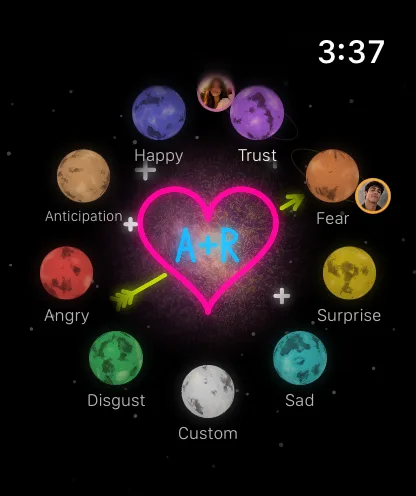
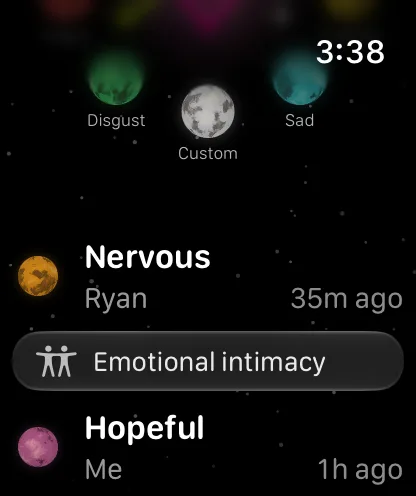
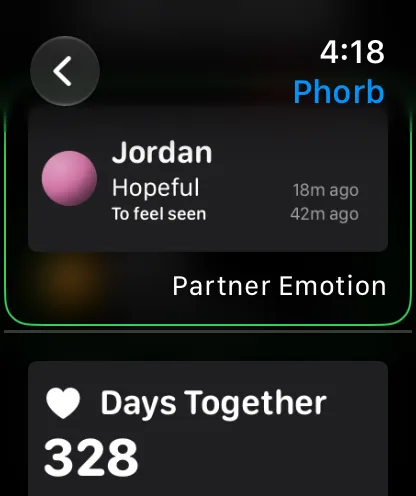
Phorb opens on your orbit: eight emotion planets plus Custom, with your two photos circling the feelings you each shared last. Scroll down for your partner's latest emotion and need, how long ago they shared them, and your days together.
Today's pinned doodle glows in the middle of the orbit.
If your partner hasn't shared an emotion in three hours, an Ask button lets you check in. They get a notification, and you can ask again after 10 minutes.
Share a feeling in a few taps
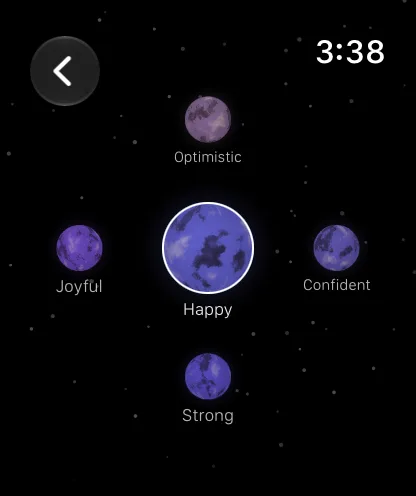
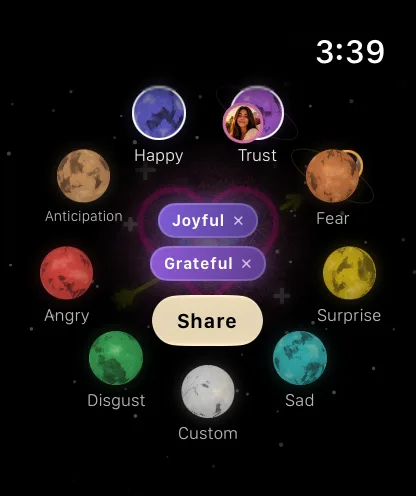
Tap a planet to open its family, then pick the word that fits. The Digital Crown moves between words, and on watches that support double tap, it picks the highlighted one. Add a second feeling if your mood is mixed, then tap Share.
Your partner sees it in Phorb on iPhone, the same as a check-in from your phone.
Custom emotions you made on iPhone are under Custom.
Say what you need
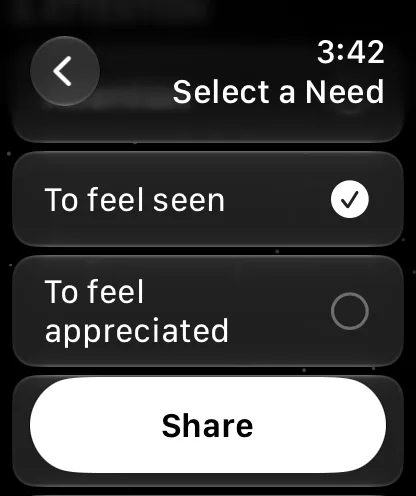
Right after you share a feeling, a button to share a need appears for a few seconds, with needs suggested for that feeling at the top. You can also open Needs from the main screen at any time. Pick up to two and tap Share.
When you feel better, tap I'm okay so your partner knows you don't need anything else.
Your partner's current need appears right under their emotion.
Send a pulse from your wrist
Hold the glowing center of the orbit, then let go: your partner gets a pulse as long as you held, up to six seconds. Your watch taps your wrist like a heartbeat while you hold. Your partner feels it in Phorb on iPhone, or can get a notification if the app is closed.
Keep your partner on your watch face
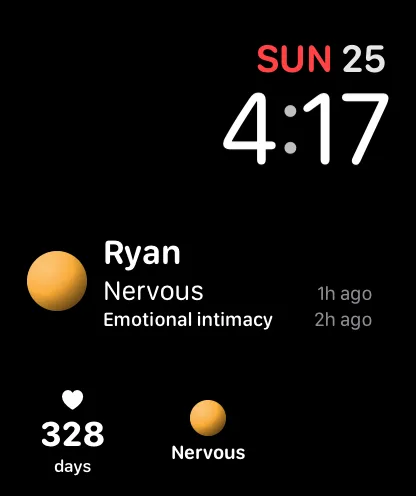
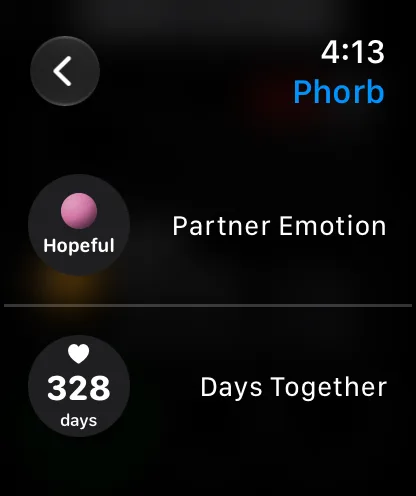
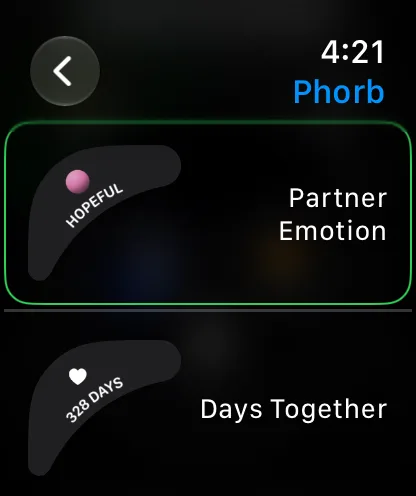
Add Partner Emotion to see how your partner feels every time you check the time, and Days Together to count your days as a couple. Both come in four shapes: the three below, plus inline, a line of text on the watch face.
Rectangular
Your partner's name, emotion and need, with how long ago they shared them.
Circular
Their emotion as a small planet, or your day count under a heart.
Corner
The emotion or the day count curves along the edge of the face.
Set it up
1
Connect with your partner
Install Phorb on your iPhone, sign in and pair with your partner. Until then, the watch app asks you to finish setup on your iPhone.
2
Install the watch app
Phorb for Apple Watch comes with the iPhone app. If it isn't on your watch yet, open the Watch app on your iPhone and install Phorb from Available Apps.
3
Add a complication
Touch and hold your watch face, tap Edit and pick a complication slot. Choose Phorb, then Partner Emotion or Days Together.
Questions
Does Phorb have an Apple Watch app?
Yes. Phorb for Apple Watch comes with the iPhone app from version 1.5.0 and needs watchOS 10.6 or later. It shows your partner's emotion and need, lets you share your own and send a pulse, and adds two complications to your watch face.
Does my partner need an Apple Watch too?
No. What you share from your watch reaches your partner in Phorb on their iPhone, the same as anything you share from your phone. If they wear an Apple Watch, they can use the watch app too.
Does the watch app work without my iPhone?
Not on its own. The watch sends everything through Phorb on your iPhone, so keep your iPhone nearby. Without it, the watch still shows the last update it received, and it tells you when it can't send.
Which complications does Phorb have?
Two: Partner Emotion and Days Together. Each comes in four shapes: rectangular, circular, corner and inline, a single line of text on the watch face. The rectangular Partner Emotion also shows your partner's current need.
Is the Apple Watch app free?
Yes. The watch app comes with Phorb at no extra cost. Premium works the same as on iPhone, and one subscription covers both partners.
Does the watch app speak my language?
Phorb, watch app included, runs in 10 languages: English, Spanish, German, French, Italian, Japanese, Korean, Polish, Portuguese and Romanian. Each partner uses their own.