What it is
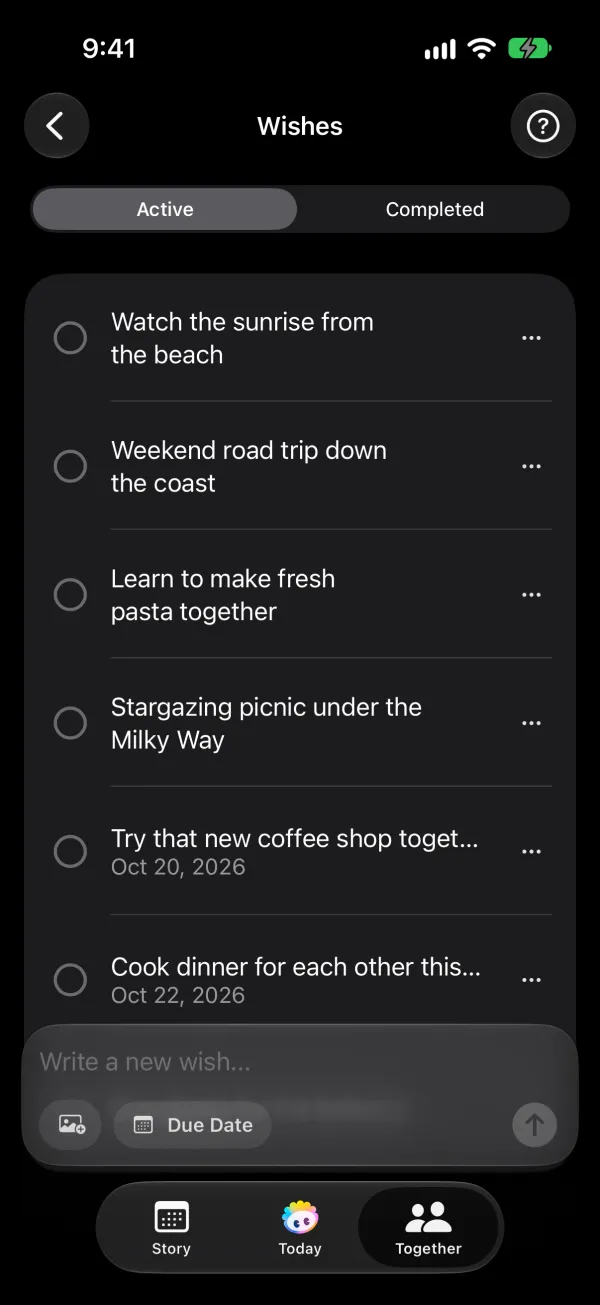
Phorb's bucket list is one list for the two of you. In the app's own words, it's "a shared list for your bigger plans: trips, dates you keep putting off, and goals to reach together." Either of you can add an item, give it a date and mark it done when it comes true. Some items are big, like saving for a house. Others are small, like finally trying the ramen place on the corner.
In the app, the list is called Wishes. "Bucket list" sounds like once-in-a-lifetime plans, and this list is just as much for the small things, so each item on it is simply a wish.
How it works in Phorb
- Open the Together tab and tap Wishes.
- Write a new wish in the composer, for example "See the Northern Lights".
- Add a photo if you have one, and set a Due Date if the wish has a deadline.
- Save it. Your partner gets a notification that you added a wish, with its title.
- Drag wishes to reorder them, so the ones you care about most stay on top.
- When a wish comes true, tap its checkmark to mark it complete. It moves to Completed, and your partner gets a notification. Restore it if you marked it by mistake.
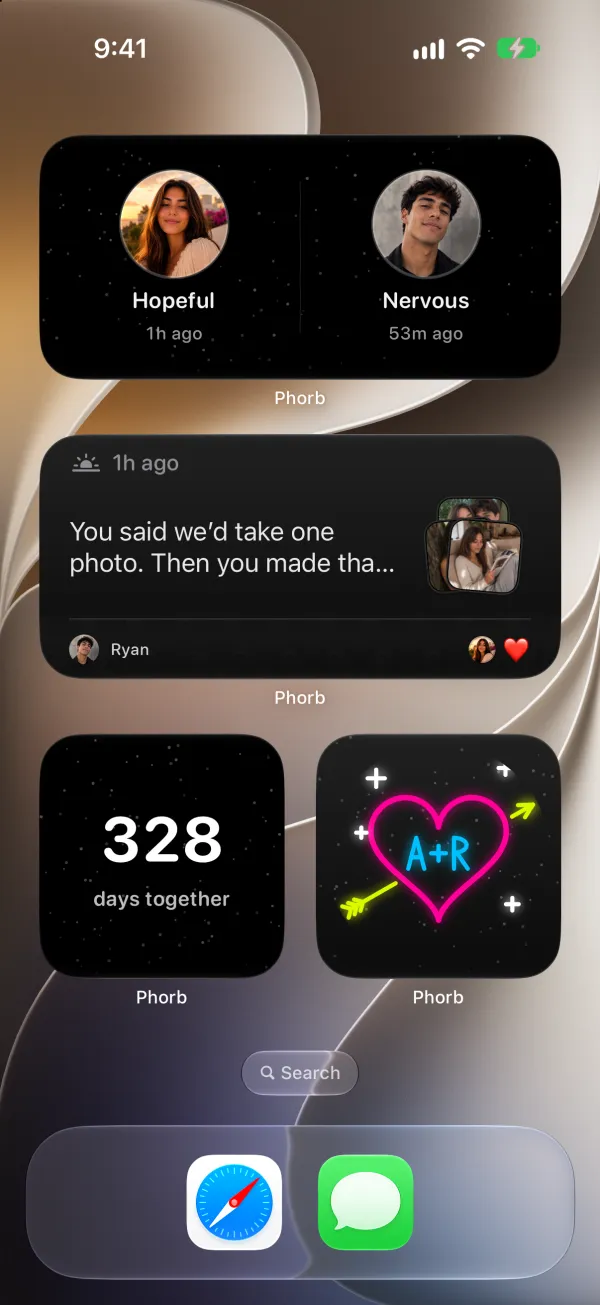
The Wishes tile on the Together tab shows a preview of your list. To see it without opening the app, add the Wishes widget to your Home Screen. It shows up to three active wishes. Choose Auto to let Phorb pick them, or Manual to choose which three.
Why it helps
Couples who share plans have something to look forward to together. The Gottman Institute treats this as its own level of a strong relationship: making life dreams come true. "The second step in making life dreams come true is actually finding out what those life dreams are," it writes. "If you don't know your partner's answers, find out" (Make Life Dreams Come True).
The same article recommends a habit that a shared list makes easy: "Create the habit now of dreaming out loud and checking things off the list." It also points out that small dreams count. A list that holds both "visit Japan" and "learn to make dumplings" gives you something to work on this weekend and something to plan for next year.
Ideas to try
- Long distance. Add the trips you want to take once you live in the same city. Then add one you can do apart this month, like reading the same book.
- Busy weeknights. Keep a few easy wishes on the list, like "picnic dinner on the living room floor". When you have a free evening, pick one.
- After a disagreement. Open the list together and look at what you want to build. It's a quick reminder of what you share.
- Money goals. Add a savings goal with a due date and check it off together when you reach it.
- Anniversary review. Once a year, open Completed and read back through everything you've already done.